

OpenClaw 101: What Is OpenClaw? The Open-Source AI Agent for Small Business Automation
Table of Contents
Toggle
So what Is OpenClaw? OpenClaw is an open-source, self-hosted AI agent that functions as a personal autonomous assistant, running locally on your devices to execute real-world tasks through messaging apps like WhatsApp, Telegram, Slack, Discord, and more. For small business owners interested in AI-powered business automation, OpenClaw enables handling repetitive workflows—such as email summarization, calendar management, follow-up reminders, browser-based research, and basic file operations—while keeping sensitive data on your own hardware rather than third-party clouds.
This comprehensive guide covers what OpenClaw is, its core mechanics, practical applications for SMBs, security considerations, getting-started steps, and why tools like this are gaining traction in business AI consulting services. As AI automation solutions for business evolve rapidly in 2026, OC stands out for its privacy focus and extensibility, though it requires technical setup unlike fully managed SaaS alternatives. Lets get into it…
Did You Know: OpenClaw (formerly Clawdbot and briefly Moltbot) achieved over 100,000 GitHub stars in under a week after its late 2025/early 2026 launch, marking one of the fastest-growing open-source AI projects in history due to its autonomous action capabilities.
OpenClaw? A Detailed Breakdown of This Viral AI Agent
OpenClaw, developed by Peter Steinberger, is a free, open-source autonomous AI agent framework built primarily on Node.js. It bridges powerful large language models—especially Anthropic’s Claude series—with system tools and messaging platforms, allowing it to plan multi-step actions, reason over context, and execute tasks proactively.
Unlike passive chatbots that only generate text, OC performs real operations: running shell commands, controlling browsers, reading/writing files, sending messages/emails, managing calendars, and more—all initiated via natural language in your preferred chat app. Its “heartbeat” scheduler enables periodic autonomous checks without constant user input.
For small businesses, this translates to potential efficiency gains in operations without ongoing SaaS fees (beyond LLM API costs, typically $20–50/month for Claude). Data privacy is a major advantage since everything runs locally on Mac, Linux, Windows, or a VPS/server.
However, OC is geared toward developers, power users, or SMBs with technical support—setup involves terminal commands, API key configuration, and careful permission management.
Did You Know: Security analyses from firms like CrowdStrike highlight that self-hosted agents like OpenClaw can become powerful if misconfigured, potentially serving as backdoors if connected to enterprise systems without isolation.
How OpenClaw Works for Business Process Automation
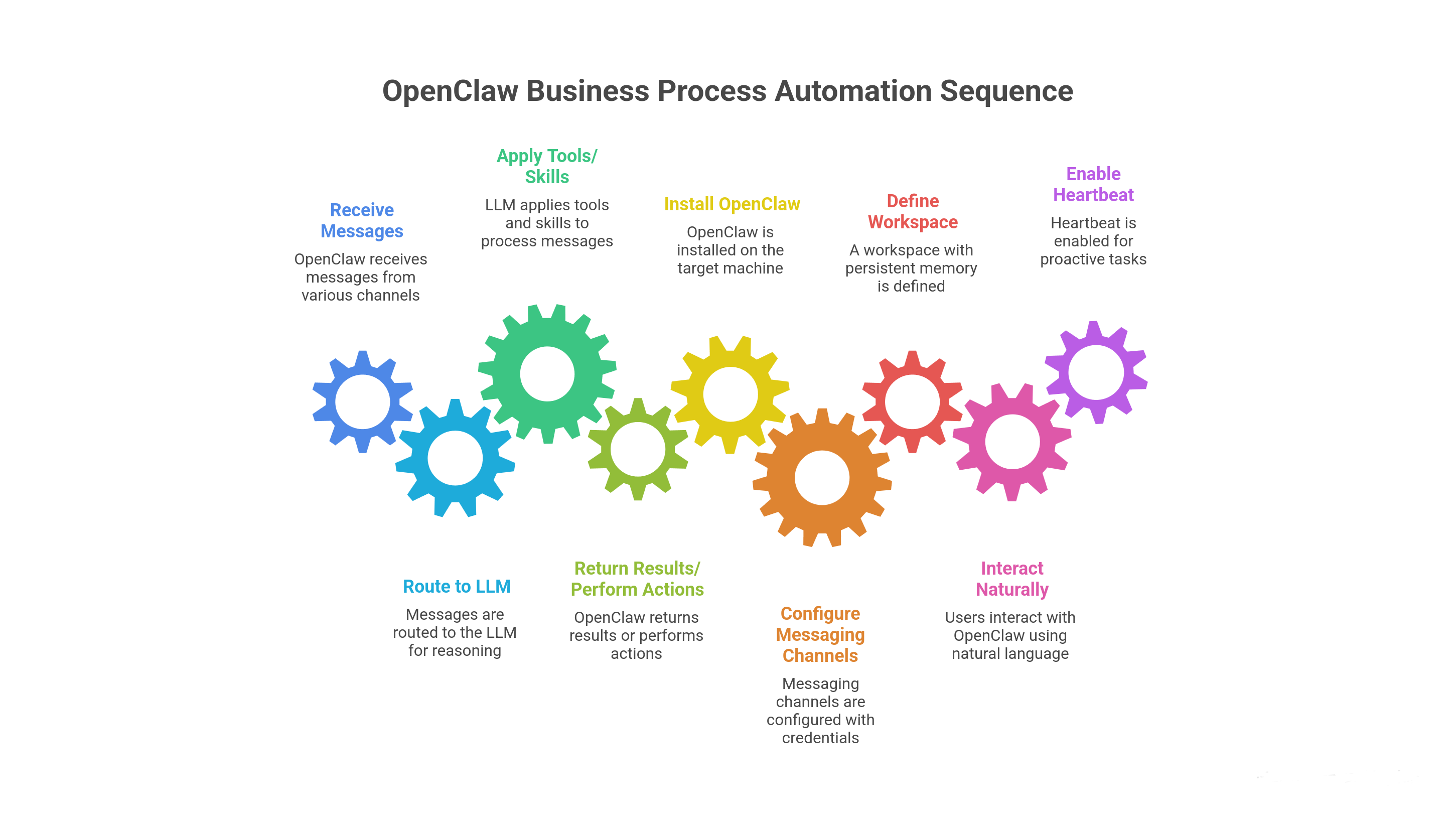
OC acts as a local gateway: it receives messages, routes them to an LLM for reasoning, applies tools/skills, and returns results or performs actions.
Essential Setup Steps for SMBs
- Install via one-liner script or npm on your target machine/server.
- Configure messaging channels (e.g., WhatsApp bot credentials) and LLM API keys during onboarding.
- Define a workspace with persistent memory for ongoing context.
- Interact naturally: “Review unpaid invoices and send reminders to top clients.”
- Enable heartbeat for proactive tasks like daily summaries.
SMB-Relevant Features
- Persistent memory retains business context across interactions.
- Browser automation for web research, data entry, or monitoring.
- Community skills extend capabilities (e.g., email integration, basic CRM updates).
- Sandboxing options (Docker/VM) for safer execution.
While chat feels intuitive, initial deployment demands command-line familiarity or assistance.
Did You Know: Many early adopters report using OpenClaw for inbox triage and reporting, saving hours weekly, but emphasize starting in isolated environments to test reliability.
Practical Use Cases: OpenClaw for Small Business Efficiency
OpenClaw excels at automating routine SMB tasks where time savings add up quickly.
Customer Support and Communication
Summarize inquiries, draft responses to FAQs, or route complex issues—ideal for retail, e-commerce, or service businesses.
Sales Pipeline and Follow-Ups
Track leads in notes, send personalized reminders, or pull trends from emails/files.
Operations and Reporting
Consolidate metrics, flag anomalies, generate quick summaries, or organize files—reducing manual admin.
Begin with read-only tasks (e.g., summaries) to build confidence before enabling actions like sending messages.
Did You Know: While no large-scale SMB studies exist yet for OpenClaw specifically, general AI agent pilots show 20–40% time reductions on repetitive work when properly tuned.
Security and Suitability: Is OpenClaw Right for Your Small Business?
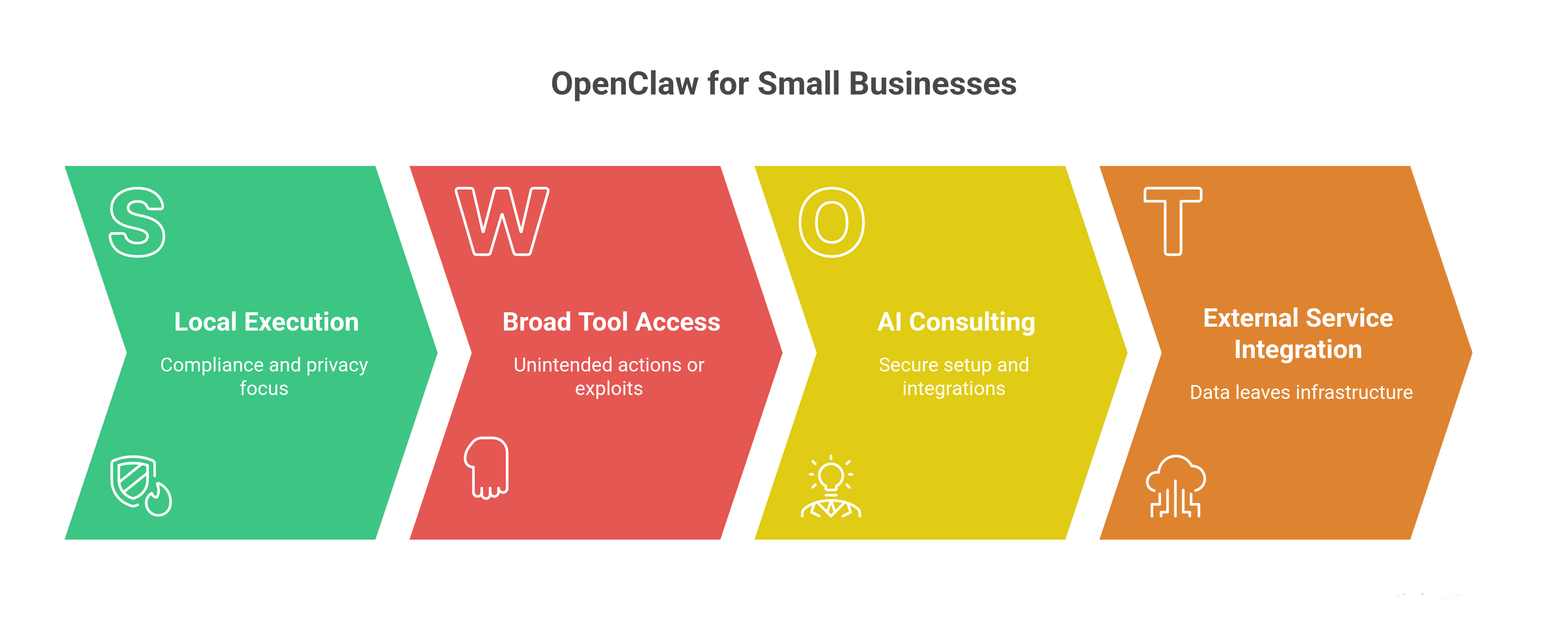
OC prioritizes local execution for compliance and privacy—no data leaves your infrastructure unless you integrate external services.
Key Safeguards
- Encrypted app connections.
- Optional sandboxed modes (Docker containers, VMs).
- Audit logs and permission scoping.
Main Risks
- Broad tool access can lead to unintended actions or exploits (e.g., prompt injection via malicious skills).
- Community extensions need vetting.
- Misconfiguration could expose systems.
For non-technical SMBs, AI consulting for businesses or AI implementation consulting for businesses is recommended to handle secure setup, integrations, and governance.
External resource: Review the NIST AI Risk Management Framework for foundational guidance on managing AI agent risks.
Did You Know: Viral stories and expert warnings (e.g., WIRED, CrowdStrike) underscore that powerful agents like OpenClaw demand “handle with care” approaches—sandbox everything and monitor closely.
Getting Started with OpenClaw: A Smart Roadmap for SMBs
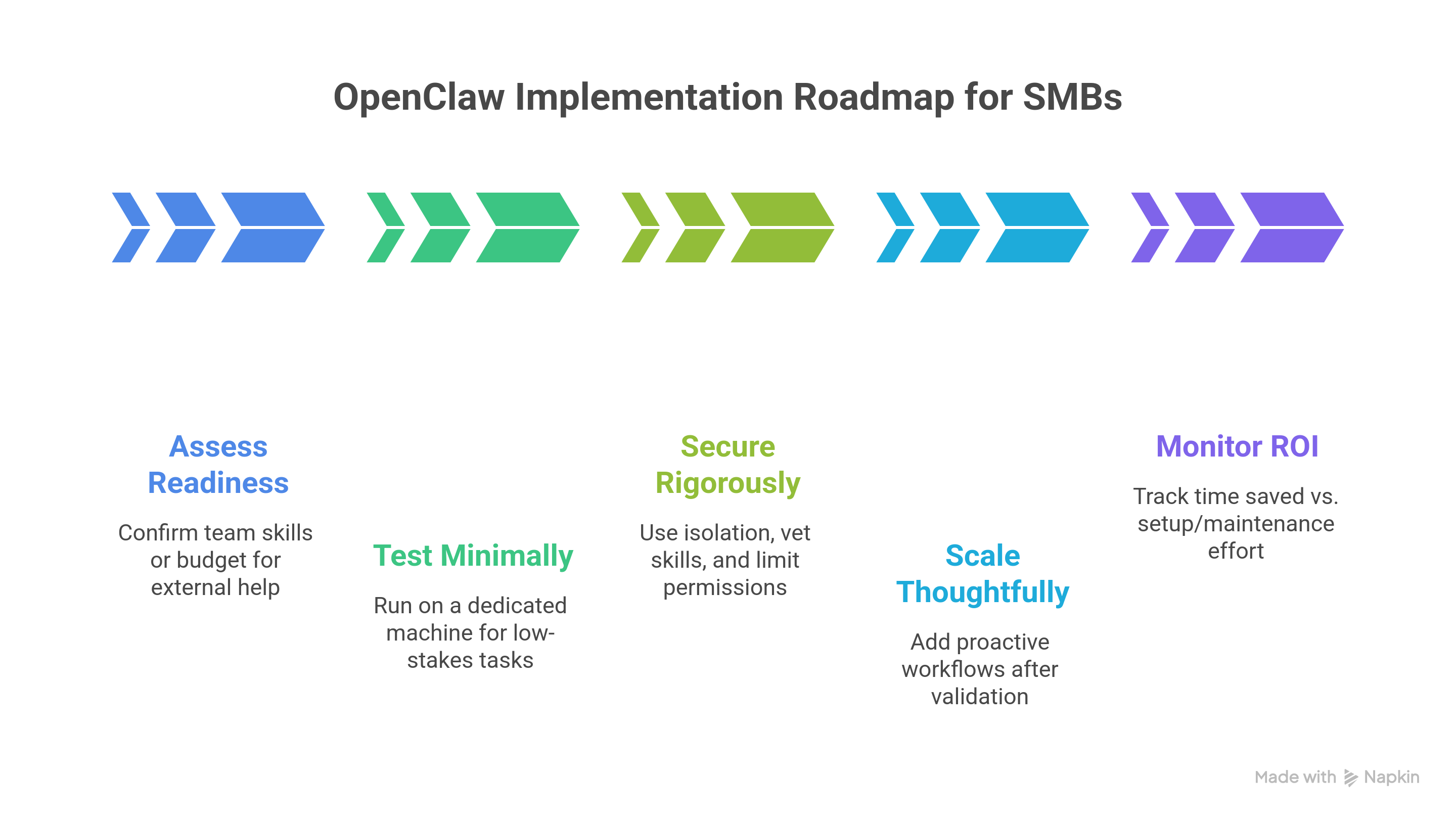
- Assess readiness: Confirm at least one team member has basic tech skills or budget for external help.
- Test minimally: Run on a dedicated/test machine for low-stakes tasks.
- Secure rigorously: Use isolation, vet skills, limit permissions.
- Scale thoughtfully: Add proactive workflows after validation.
- Monitor ROI: Track time saved vs. setup/maintenance effort.
Internal link: Check our related post on AI integration services for SMBs for expert strategies on adopting agentic tools.
Did You Know: Early pilots with controlled, small-scope automations yield higher long-term success rates for open-source AI tools.
Frequently Asked Questions
What is OpenClaw exactly?
OpenClaw is an open-source, self-hosted AI agent that turns messaging apps into an interface for autonomous task execution using models like Claude. It handles real actions locally for privacy-focused automation.
Is OpenClaw suitable for small businesses without developers?
Interaction is chat-based and simple, but setup and security require technical knowledge. Many SMBs succeed by partnering with AI business consultants or using managed hosting options.
What are the costs of using OpenClaw for business?
Core software is free (MIT license). Primary expenses: LLM APIs ($20–50/month typical) and optional server hosting ($5–20/month VPS). Time savings often offset costs quickly.
Does OpenClaw replace staff in small operations?
No—it augments by automating drudgery, freeing employees for strategic, revenue-focused work.
What are the biggest risks, and how to mitigate them?
Risks include security vulnerabilities from over-privileged access or bad skills. Mitigate with sandboxing, vetted extensions, isolated environments, and professional AI consulting for operational efficiency.
OpenClaw offers SMBs a powerful, customizable entry into AI-powered business automation with strong privacy advantages. Weigh the setup effort and risks carefully—consider expert guidance—and it can become a valuable digital teammate in your operations.
Related Articles:
NanoClaw vs OpenClaw: The Secure, Lightweight AI Agent Alternative
OpenClaw Security Risks: Viral AI Agent or a Business Security Nightmare?
An Article by N Delgado 2026 | CMO | AI Software Systems | AI Consultants For Business